Back

Back

Top AI Tools for Developers: The Future of Coding

Nov 12, 2025

The way developers create software is transforming at an incredible pace. Artificial intelligence is no longer just an assistant in the background, it is becoming an essential collaborator that understands context, writes code, and helps bring ideas to life faster than ever. Modern development is shifting from manual construction to guided creation, where describing what you want can be enough to see it built. The goal is not to replace developers but to amplify their creativity and focus.

In this article we explore the most innovative AI tools shaping this new era of software development, beginning with Bleenk, a coding agent built to think and build alongside you.

1. Bleenk
Bleenk represents the next evolution in how we think about coding. It is not a plugin, not an extension, but an entirely new way to build. Designed as a fully conversational coding agent, Bleenk allows developers to describe what they want and then watch it come to life in real time. From layout and design to backend logic and integrations, everything flows naturally through conversation.

The experience of using Bleenk feels less like programming and more like creative collaboration. You simply express what you want to achieve, and Bleenk translates that intent into structured, production-ready code. It manages architecture, handles dependencies, and integrates with the tools you already use. Every step happens in a secure, cloud-based sandbox powered by modern infrastructure, ensuring speed and safety while keeping your local environment clean.

What makes Bleenk so powerful is its understanding of context. The agent keeps track of your conversation, learns from previous instructions, and builds upon them seamlessly. Whether you are creating a landing page, connecting an API, or developing a full application, Bleenk understands your goals and adjusts automatically. It connects to Browserbase, Figma, Supabase, Notion, and Linear, using the Model Context Protocol to enable deep, intelligent integrations between your favorite services.

Unlike traditional autocomplete tools, Bleenk does not just generate snippets or templates. It designs complete solutions that are clean, organized, and scalable. The code it produces follows modern best practices, which means developers can ship faster while maintaining high-quality standards. For founders, independent developers, and teams who value clarity and speed, Bleenk turns the entire process of development into a smooth and creative journey.

Key Features

  • Conversational creation that allows you to describe what you want to build in plain language.

  • Context awareness that remembers your previous instructions and adapts to changes automatically.

  • Direct integration with major platforms like Figma, Supabase, Notion, Browserbase, and Linear.

  • Secure, cloud-based sandboxing that keeps your code isolated and deployable.

  • Structured and readable output that follows clean coding standards and scalable architecture.

  • Intuitive interface that promotes focus and creativity without distraction or setup complexity.

  • Intelligent handling of logic, design, and structure that makes Bleenk ideal for both rapid prototyping and production applications.

Cons of Bleenk

  • Still in early access and available only through the waitlist, which limits immediate availability.

  • Dependent on cloud execution, so offline development is not currently supported.

  • Some advanced MCP configurations may require technical understanding to customize effectively.

My Experience with Bleenk

When testing Bleenk, the difference from traditional development tools was immediate. I started by describing a simple idea for a modern landing page. In a few seconds, Bleenk produced a fully responsive React layout, complete with sections, styling, and form logic. When I asked it to add authentication with Supabase, it instantly understood the request, integrated the backend, and created a secure login system.

Working with Bleenk felt intuitive. Instead of switching between tools, configuration files, and endless documentation, I could focus entirely on design and purpose. Bleenk handled the logic, routing, and structure. Its conversational nature made building feel more like collaboration than coding. By the end of the session, I had a complete prototype ready to deploy, written with clean and maintainable code.

Pricing

Bleenk is currently in private beta and free for early access users. The upcoming pricing model will introduce three tiers tailored to different user types. The Developer plan will provide free access with limited build capacity and personal project support. The Pro plan will target small teams and startups with collaborative features and extended credits. The Enterprise plan will include full API access, MCP management, dedicated support, and on-premise options for organizations that need security and compliance controls.

Expert Summary

Bleenk is not just another coding assistant. It represents a fundamental change in how we think about building software. By turning code into conversation, it allows developers to focus on creativity rather than complexity. Its combination of intelligence, context, and integration sets a new standard for AI-assisted development. For founders, creative developers, and engineering teams, Bleenk offers the freedom to build anything faster, cleaner, and smarter than ever before.

2. Qodo.ai
Qodo.ai is an enterprise-grade AI code review platform that prioritises code integrity over mere generation. It brings automated, context-aware review into IDEs, pull requests, CI/CD pipelines and multi-repo workflows. Qodo’s goal is to help engineering teams not only code faster but ship more reliably by enforcing standards, analysing behaviour and reducing risk.

Key Features

  • Deep context engine: Qodo indexes entire codebases — multiple repositories, services, dependencies — so its review agents can reason about cross-cutting impact rather than single files.

  • Agentic quality workflows: It uses specialised agents for tasks such as test-case generation, diff analysis, compliance enforcement and one-click fix recommendations.

  • Shift-left and IDE integrated reviews: Qodo runs reviews locally in the developer’s IDE (VS Code, JetBrains) and intercepts issues before code reaches pull requests.

  • Pull request automation and compliance: On pull-requests, Qodo’s agents summarise risk, generate PR descriptions and enforce organisational standards for logic, security and architecture.

  • Multi-model support and flexible deployment: You can plug Qodo into your own AI models, on-premises or in the cloud, and manage governance via enterprise controls.

Pros of Qodo.ai

  • Full SDLC coverage: Qodo spans local dev, pull-requests, CI/CD and multi-repo governance, rather than just generation.

  • Context-aware suggestions: Because it understands codebase history and dependencies, its recommendations are more relevant and precise.

  • Automated test generation: Qodo identifies untested logic and generates suitable unit tests automatically.

  • Governance-ready for enterprises: Includes compliance enforcement, support for SOC 2, air-gapped environments and large scale engineering teams.

  • Reduced review burden: By catching issues early and automating review tasks, Qodo has helped teams reduce manual review time and backlog.

Cons of Qodo.ai

  • Premium pricing: Many of the advanced features — multi-repo context indexing, enterprise governance, full agentic workflows — reside in higher tier plans or custom deployments.

  • Complexity for smaller teams: For early stage or solo developers, the full power of Qodo may be overkill; setup and configuration might take more effort than simpler tools.

  • Focus on review rather than generation: If your primary need is rapid code generation rather than review/governance, Qodo may be less suited compared to copy-assist tools.

Expert Summary

If you are part of an engineering organisation that cares about quality, scalability, auditability and governance, Qodo.ai is one of the most mature platforms available. It shifts the focus from “generate more code fast” to “ship better code reliably”. For smaller teams or purely generative workflows, you may prefer a lighter tool, but for large codebases or regulated environments, Qodo is a strong choice.

3. Lovable

Lovable is an AI-driven app creation platform that blends natural language prompts with code generation to help users build full applications from idea to deployment. It focuses on making the development process intuitive, collaborative, and enjoyable. Instead of starting from a blank screen, developers describe what they want to build, and Lovable generates the full-stack architecture, including frontend, backend, and database layers. It aims to make development feel creative rather than technical, bridging the gap between no-code simplicity and developer-grade control.

Key Features

  • Full application generation: Build complete applications from prompt to production without boilerplate setup.

  • Visual-first workflow: Combine text-based instructions with drag-and-drop interfaces for flexible creation.

  • Editable source code: Export or modify generated code at any stage without restrictions.

  • Integrated backend setup: Automatically configures databases, authentication, and APIs with Supabase or similar services.

  • Fast prototyping: Ideal for startups, designers, and founders who need working demos or MVPs quickly.

  • Collaborative creation: Supports real-time teamwork and design review within the same environment.

Expert Summary

Lovable is best suited for makers and teams who want to turn ideas into products without sacrificing code quality. It combines the ease of no-code tools with the power of real code, making it a valuable platform for rapid development. While experienced engineers may still prefer direct control for complex logic, Lovable’s ability to merge creativity and technology makes it one of the most enjoyable and accessible AI development tools today.

4. Warp
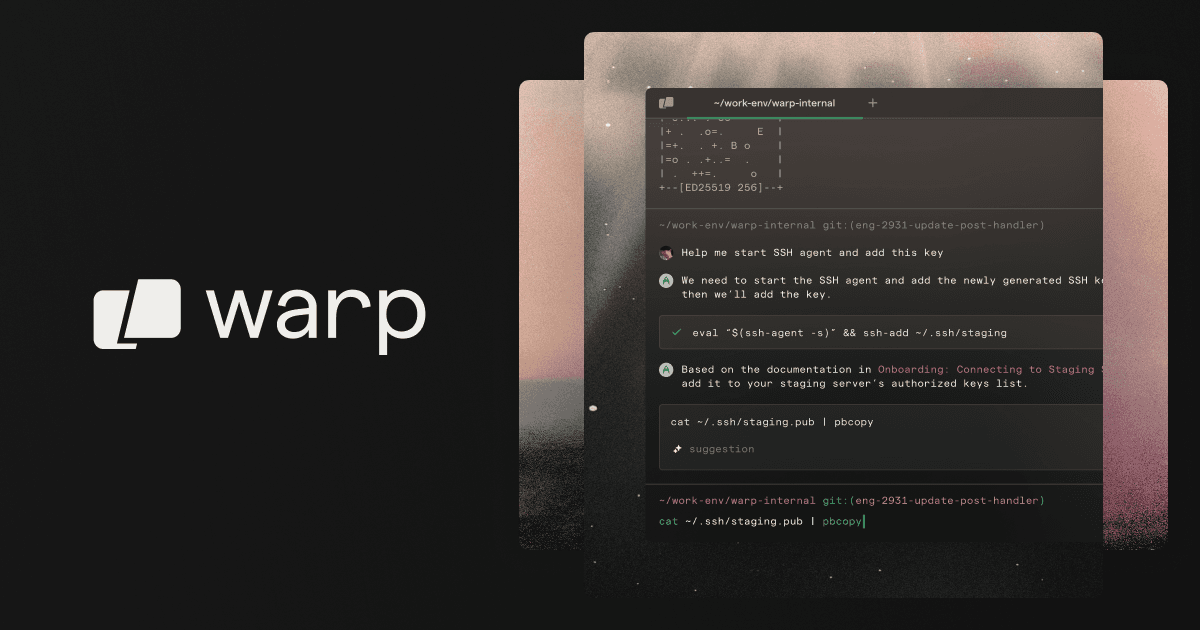
Warp is an AI-enhanced terminal built for modern development workflows. It reimagines the command line experience by making it more intuitive, collaborative, and intelligent. Instead of working with a static terminal interface, developers interact with Warp’s AI-powered command assistant that can explain, complete, and optimize shell commands in real time. It blends the speed of a traditional CLI with the intelligence of a code editor, helping both beginners and advanced engineers become more productive in their daily operations.

Key Features

  • AI command assistance: Generates and explains commands based on natural language prompts.

  • Block-based interface: Organizes commands and outputs into visual units for easier readability.

  • Collaboration tools: Share command outputs or reusable snippets with teammates instantly.

  • Productivity shortcuts: Offers auto-suggestions, templates, and in-line documentation to speed up repetitive tasks.

  • Cross-platform support: Available for macOS, Windows, and Linux with seamless syncing across devices.

Expert Summary

Warp transforms the traditional terminal into a smart, visual, and collaborative environment. It combines the efficiency of the CLI with the intelligence of an AI assistant, helping developers work faster and communicate more effectively. For individual developers, it removes friction from command execution, and for teams, it creates a shared space for learning, automation, and operational excellence.

5. OpenAI Codex

OpenAI Codex is the foundational model that introduced the world to AI-assisted coding. Built by OpenAI, it powers tools like GitHub Copilot and has become the backbone for many AI development environments. Codex can translate natural language into code across multiple programming languages, from Python and JavaScript to C++ and Go. Its design focuses on helping developers move from intent to implementation, allowing them to describe what they want and have Codex generate accurate, contextual code.

Key Features

  • Multi-language support: Works across major programming languages including Python, JavaScript, TypeScript, Ruby, and C++.

  • Contextual understanding: Generates context-aware code suggestions based on existing project files and documentation.

  • Versatile integration: Powers popular tools like GitHub Copilot and can be accessed via the OpenAI API.

  • Code explanation and documentation: Translates code into human-readable descriptions for learning and debugging.

  • Rapid prototyping: Helps developers iterate faster by generating boilerplate and logic blocks quickly.

Expert Summary

OpenAI Codex remains one of the most influential AI models in software development. It established the foundation for conversational coding and inspired an entire generation of AI tools. While newer systems now offer specialized capabilities, Codex continues to be a reliable and versatile engine for developers who want to blend natural language with code generation. It is ideal for learners, educators, and professionals who want to accelerate productivity without losing precision or control.

The way developers create software is transforming at an incredible pace. Artificial intelligence is no longer just an assistant in the background, it is becoming an essential collaborator that understands context, writes code, and helps bring ideas to life faster than ever. Modern development is shifting from manual construction to guided creation, where describing what you want can be enough to see it built. The goal is not to replace developers but to amplify their creativity and focus.

In this article we explore the most innovative AI tools shaping this new era of software development, beginning with Bleenk, a coding agent built to think and build alongside you.

1. Bleenk

Bleenk represents the next evolution in how we think about coding. It is not a plugin, not an extension, but an entirely new way to build. Designed as a fully conversational coding agent, Bleenk allows developers to describe what they want and then watch it come to life in real time. From layout and design to backend logic and integrations, everything flows naturally through conversation.

The experience of using Bleenk feels less like programming and more like creative collaboration. You simply express what you want to achieve, and Bleenk translates that intent into structured, production-ready code. It manages architecture, handles dependencies, and integrates with the tools you already use. Every step happens in a secure, cloud-based sandbox powered by modern infrastructure, ensuring speed and safety while keeping your local environment clean.

What makes Bleenk so powerful is its understanding of context. The agent keeps track of your conversation, learns from previous instructions, and builds upon them seamlessly. Whether you are creating a landing page, connecting an API, or developing a full application, Bleenk understands your goals and adjusts automatically. It connects to Browserbase, Figma, Supabase, Notion, and Linear, using the Model Context Protocol to enable deep, intelligent integrations between your favorite services.

Unlike traditional autocomplete tools, Bleenk does not just generate snippets or templates. It designs complete solutions that are clean, organized, and scalable. The code it produces follows modern best practices, which means developers can ship faster while maintaining high-quality standards. For founders, independent developers, and teams who value clarity and speed, Bleenk turns the entire process of development into a smooth and creative journey.

Key Features

  • Conversational creation that allows you to describe what you want to build in plain language.

  • Context awareness that remembers your previous instructions and adapts to changes automatically.

  • Direct integration with major platforms like Figma, Supabase, Notion, Browserbase, and Linear.

  • Secure, cloud-based sandboxing that keeps your code isolated and deployable.

  • Structured and readable output that follows clean coding standards and scalable architecture.

  • Intuitive interface that promotes focus and creativity without distraction or setup complexity.

  • Intelligent handling of logic, design, and structure that makes Bleenk ideal for both rapid prototyping and production applications.

Cons of Bleenk

  • Still in early access and available only through the waitlist, which limits immediate availability.

  • Dependent on cloud execution, so offline development is not currently supported.

  • Some advanced MCP configurations may require technical understanding to customize effectively.

My Experience with Bleenk

When testing Bleenk, the difference from traditional development tools was immediate. I started by describing a simple idea for a modern landing page. In a few seconds, Bleenk produced a fully responsive React layout, complete with sections, styling, and form logic. When I asked it to add authentication with Supabase, it instantly understood the request, integrated the backend, and created a secure login system.

Working with Bleenk felt intuitive. Instead of switching between tools, configuration files, and endless documentation, I could focus entirely on design and purpose. Bleenk handled the logic, routing, and structure. Its conversational nature made building feel more like collaboration than coding. By the end of the session, I had a complete prototype ready to deploy, written with clean and maintainable code.

Pricing

Bleenk is currently in private beta and free for early access users. The upcoming pricing model will introduce three tiers tailored to different user types. The Developer plan will provide free access with limited build capacity and personal project support. The Pro plan will target small teams and startups with collaborative features and extended credits. The Enterprise plan will include full API access, MCP management, dedicated support, and on-premise options for organizations that need security and compliance controls.

Expert Summary

Bleenk is not just another coding assistant. It represents a fundamental change in how we think about building software. By turning code into conversation, it allows developers to focus on creativity rather than complexity. Its combination of intelligence, context, and integration sets a new standard for AI-assisted development. For founders, creative developers, and engineering teams, Bleenk offers the freedom to build anything faster, cleaner, and smarter than ever before.

2. Qodo.ai

Qodo.ai is an enterprise-grade AI code review platform that prioritises code integrity over mere generation. It brings automated, context-aware review into IDEs, pull requests, CI/CD pipelines and multi-repo workflows. Qodo’s goal is to help engineering teams not only code faster but ship more reliably by enforcing standards, analysing behaviour and reducing risk.

Key Features

  • Deep context engine: Qodo indexes entire codebases — multiple repositories, services, dependencies — so its review agents can reason about cross-cutting impact rather than single files.

  • Agentic quality workflows: It uses specialised agents for tasks such as test-case generation, diff analysis, compliance enforcement and one-click fix recommendations.

  • Shift-left and IDE integrated reviews: Qodo runs reviews locally in the developer’s IDE (VS Code, JetBrains) and intercepts issues before code reaches pull requests.

  • Pull request automation and compliance: On pull-requests, Qodo’s agents summarise risk, generate PR descriptions and enforce organisational standards for logic, security and architecture.

  • Multi-model support and flexible deployment: You can plug Qodo into your own AI models, on-premises or in the cloud, and manage governance via enterprise controls.

Pros of Qodo.ai

  • Full SDLC coverage: Qodo spans local dev, pull-requests, CI/CD and multi-repo governance, rather than just generation.

  • Context-aware suggestions: Because it understands codebase history and dependencies, its recommendations are more relevant and precise.

  • Automated test generation: Qodo identifies untested logic and generates suitable unit tests automatically.

  • Governance-ready for enterprises: Includes compliance enforcement, support for SOC 2, air-gapped environments and large scale engineering teams.

  • Reduced review burden: By catching issues early and automating review tasks, Qodo has helped teams reduce manual review time and backlog.

Cons of Qodo.ai

  • Premium pricing: Many of the advanced features — multi-repo context indexing, enterprise governance, full agentic workflows — reside in higher tier plans or custom deployments.

  • Complexity for smaller teams: For early stage or solo developers, the full power of Qodo may be overkill; setup and configuration might take more effort than simpler tools.

  • Focus on review rather than generation: If your primary need is rapid code generation rather than review/governance, Qodo may be less suited compared to copy-assist tools.

Expert Summary

If you are part of an engineering organisation that cares about quality, scalability, auditability and governance, Qodo.ai is one of the most mature platforms available. It shifts the focus from “generate more code fast” to “ship better code reliably”. For smaller teams or purely generative workflows, you may prefer a lighter tool, but for large codebases or regulated environments, Qodo is a strong choice.

3. Lovable

Lovable is an AI-driven app creation platform that blends natural language prompts with code generation to help users build full applications from idea to deployment. It focuses on making the development process intuitive, collaborative, and enjoyable. Instead of starting from a blank screen, developers describe what they want to build, and Lovable generates the full-stack architecture, including frontend, backend, and database layers. It aims to make development feel creative rather than technical, bridging the gap between no-code simplicity and developer-grade control.

Key Features

  • Full application generation: Build complete applications from prompt to production without boilerplate setup.

  • Visual-first workflow: Combine text-based instructions with drag-and-drop interfaces for flexible creation.

  • Editable source code: Export or modify generated code at any stage without restrictions.

  • Integrated backend setup: Automatically configures databases, authentication, and APIs with Supabase or similar services.

  • Fast prototyping: Ideal for startups, designers, and founders who need working demos or MVPs quickly.

  • Collaborative creation: Supports real-time teamwork and design review within the same environment.

Expert Summary

Lovable is best suited for makers and teams who want to turn ideas into products without sacrificing code quality. It combines the ease of no-code tools with the power of real code, making it a valuable platform for rapid development. While experienced engineers may still prefer direct control for complex logic, Lovable’s ability to merge creativity and technology makes it one of the most enjoyable and accessible AI development tools today.

4. Warp

Warp is an AI-enhanced terminal built for modern development workflows. It reimagines the command line experience by making it more intuitive, collaborative, and intelligent. Instead of working with a static terminal interface, developers interact with Warp’s AI-powered command assistant that can explain, complete, and optimize shell commands in real time. It blends the speed of a traditional CLI with the intelligence of a code editor, helping both beginners and advanced engineers become more productive in their daily operations.

Key Features

  • AI command assistance: Generates and explains commands based on natural language prompts.

  • Block-based interface: Organizes commands and outputs into visual units for easier readability.

  • Collaboration tools: Share command outputs or reusable snippets with teammates instantly.

  • Productivity shortcuts: Offers auto-suggestions, templates, and in-line documentation to speed up repetitive tasks.

  • Cross-platform support: Available for macOS, Windows, and Linux with seamless syncing across devices.

Expert Summary

Warp transforms the traditional terminal into a smart, visual, and collaborative environment. It combines the efficiency of the CLI with the intelligence of an AI assistant, helping developers work faster and communicate more effectively. For individual developers, it removes friction from command execution, and for teams, it creates a shared space for learning, automation, and operational excellence.

5. OpenAI Codex

OpenAI Codex is the foundational model that introduced the world to AI-assisted coding. Built by OpenAI, it powers tools like GitHub Copilot and has become the backbone for many AI development environments. Codex can translate natural language into code across multiple programming languages, from Python and JavaScript to C++ and Go. Its design focuses on helping developers move from intent to implementation, allowing them to describe what they want and have Codex generate accurate, contextual code.

Key Features

  • Multi-language support: Works across major programming languages including Python, JavaScript, TypeScript, Ruby, and C++.

  • Contextual understanding: Generates context-aware code suggestions based on existing project files and documentation.

  • Versatile integration: Powers popular tools like GitHub Copilot and can be accessed via the OpenAI API.

  • Code explanation and documentation: Translates code into human-readable descriptions for learning and debugging.

  • Rapid prototyping: Helps developers iterate faster by generating boilerplate and logic blocks quickly.

Expert Summary

OpenAI Codex remains one of the most influential AI models in software development. It established the foundation for conversational coding and inspired an entire generation of AI tools. While newer systems now offer specialized capabilities, Codex continues to be a reliable and versatile engine for developers who want to blend natural language with code generation. It is ideal for learners, educators, and professionals who want to accelerate productivity without losing precision or control.

The way developers create software is transforming at an incredible pace. Artificial intelligence is no longer just an assistant in the background, it is becoming an essential collaborator that understands context, writes code, and helps bring ideas to life faster than ever. Modern development is shifting from manual construction to guided creation, where describing what you want can be enough to see it built. The goal is not to replace developers but to amplify their creativity and focus.

In this article we explore the most innovative AI tools shaping this new era of software development, beginning with Bleenk, a coding agent built to think and build alongside you.

1. Bleenk

Bleenk represents the next evolution in how we think about coding. It is not a plugin, not an extension, but an entirely new way to build. Designed as a fully conversational coding agent, Bleenk allows developers to describe what they want and then watch it come to life in real time. From layout and design to backend logic and integrations, everything flows naturally through conversation.

The experience of using Bleenk feels less like programming and more like creative collaboration. You simply express what you want to achieve, and Bleenk translates that intent into structured, production-ready code. It manages architecture, handles dependencies, and integrates with the tools you already use. Every step happens in a secure, cloud-based sandbox powered by modern infrastructure, ensuring speed and safety while keeping your local environment clean.

What makes Bleenk so powerful is its understanding of context. The agent keeps track of your conversation, learns from previous instructions, and builds upon them seamlessly. Whether you are creating a landing page, connecting an API, or developing a full application, Bleenk understands your goals and adjusts automatically. It connects to Browserbase, Figma, Supabase, Notion, and Linear, using the Model Context Protocol to enable deep, intelligent integrations between your favorite services.

Unlike traditional autocomplete tools, Bleenk does not just generate snippets or templates. It designs complete solutions that are clean, organized, and scalable. The code it produces follows modern best practices, which means developers can ship faster while maintaining high-quality standards. For founders, independent developers, and teams who value clarity and speed, Bleenk turns the entire process of development into a smooth and creative journey.

Key Features

  • Conversational creation that allows you to describe what you want to build in plain language.

  • Context awareness that remembers your previous instructions and adapts to changes automatically.

  • Direct integration with major platforms like Figma, Supabase, Notion, Browserbase, and Linear.

  • Secure, cloud-based sandboxing that keeps your code isolated and deployable.

  • Structured and readable output that follows clean coding standards and scalable architecture.

  • Intuitive interface that promotes focus and creativity without distraction or setup complexity.

  • Intelligent handling of logic, design, and structure that makes Bleenk ideal for both rapid prototyping and production applications.

Cons of Bleenk

  • Still in early access and available only through the waitlist, which limits immediate availability.

  • Dependent on cloud execution, so offline development is not currently supported.

  • Some advanced MCP configurations may require technical understanding to customize effectively.

My Experience with Bleenk

When testing Bleenk, the difference from traditional development tools was immediate. I started by describing a simple idea for a modern landing page. In a few seconds, Bleenk produced a fully responsive React layout, complete with sections, styling, and form logic. When I asked it to add authentication with Supabase, it instantly understood the request, integrated the backend, and created a secure login system.

Working with Bleenk felt intuitive. Instead of switching between tools, configuration files, and endless documentation, I could focus entirely on design and purpose. Bleenk handled the logic, routing, and structure. Its conversational nature made building feel more like collaboration than coding. By the end of the session, I had a complete prototype ready to deploy, written with clean and maintainable code.

Pricing

Bleenk is currently in private beta and free for early access users. The upcoming pricing model will introduce three tiers tailored to different user types. The Developer plan will provide free access with limited build capacity and personal project support. The Pro plan will target small teams and startups with collaborative features and extended credits. The Enterprise plan will include full API access, MCP management, dedicated support, and on-premise options for organizations that need security and compliance controls.

Expert Summary

Bleenk is not just another coding assistant. It represents a fundamental change in how we think about building software. By turning code into conversation, it allows developers to focus on creativity rather than complexity. Its combination of intelligence, context, and integration sets a new standard for AI-assisted development. For founders, creative developers, and engineering teams, Bleenk offers the freedom to build anything faster, cleaner, and smarter than ever before.

2. Qodo.ai

Qodo.ai is an enterprise-grade AI code review platform that prioritises code integrity over mere generation. It brings automated, context-aware review into IDEs, pull requests, CI/CD pipelines and multi-repo workflows. Qodo’s goal is to help engineering teams not only code faster but ship more reliably by enforcing standards, analysing behaviour and reducing risk.

Key Features

  • Deep context engine: Qodo indexes entire codebases — multiple repositories, services, dependencies — so its review agents can reason about cross-cutting impact rather than single files.

  • Agentic quality workflows: It uses specialised agents for tasks such as test-case generation, diff analysis, compliance enforcement and one-click fix recommendations.

  • Shift-left and IDE integrated reviews: Qodo runs reviews locally in the developer’s IDE (VS Code, JetBrains) and intercepts issues before code reaches pull requests.

  • Pull request automation and compliance: On pull-requests, Qodo’s agents summarise risk, generate PR descriptions and enforce organisational standards for logic, security and architecture.

  • Multi-model support and flexible deployment: You can plug Qodo into your own AI models, on-premises or in the cloud, and manage governance via enterprise controls.

Pros of Qodo.ai

  • Full SDLC coverage: Qodo spans local dev, pull-requests, CI/CD and multi-repo governance, rather than just generation.

  • Context-aware suggestions: Because it understands codebase history and dependencies, its recommendations are more relevant and precise.

  • Automated test generation: Qodo identifies untested logic and generates suitable unit tests automatically.

  • Governance-ready for enterprises: Includes compliance enforcement, support for SOC 2, air-gapped environments and large scale engineering teams.

  • Reduced review burden: By catching issues early and automating review tasks, Qodo has helped teams reduce manual review time and backlog.

Cons of Qodo.ai

  • Premium pricing: Many of the advanced features — multi-repo context indexing, enterprise governance, full agentic workflows — reside in higher tier plans or custom deployments.

  • Complexity for smaller teams: For early stage or solo developers, the full power of Qodo may be overkill; setup and configuration might take more effort than simpler tools.

  • Focus on review rather than generation: If your primary need is rapid code generation rather than review/governance, Qodo may be less suited compared to copy-assist tools.

Expert Summary

If you are part of an engineering organisation that cares about quality, scalability, auditability and governance, Qodo.ai is one of the most mature platforms available. It shifts the focus from “generate more code fast” to “ship better code reliably”. For smaller teams or purely generative workflows, you may prefer a lighter tool, but for large codebases or regulated environments, Qodo is a strong choice.

3. Lovable

Lovable is an AI-driven app creation platform that blends natural language prompts with code generation to help users build full applications from idea to deployment. It focuses on making the development process intuitive, collaborative, and enjoyable. Instead of starting from a blank screen, developers describe what they want to build, and Lovable generates the full-stack architecture, including frontend, backend, and database layers. It aims to make development feel creative rather than technical, bridging the gap between no-code simplicity and developer-grade control.

Key Features

  • Full application generation: Build complete applications from prompt to production without boilerplate setup.

  • Visual-first workflow: Combine text-based instructions with drag-and-drop interfaces for flexible creation.

  • Editable source code: Export or modify generated code at any stage without restrictions.

  • Integrated backend setup: Automatically configures databases, authentication, and APIs with Supabase or similar services.

  • Fast prototyping: Ideal for startups, designers, and founders who need working demos or MVPs quickly.

  • Collaborative creation: Supports real-time teamwork and design review within the same environment.

Expert Summary

Lovable is best suited for makers and teams who want to turn ideas into products without sacrificing code quality. It combines the ease of no-code tools with the power of real code, making it a valuable platform for rapid development. While experienced engineers may still prefer direct control for complex logic, Lovable’s ability to merge creativity and technology makes it one of the most enjoyable and accessible AI development tools today.

4. Warp

Warp is an AI-enhanced terminal built for modern development workflows. It reimagines the command line experience by making it more intuitive, collaborative, and intelligent. Instead of working with a static terminal interface, developers interact with Warp’s AI-powered command assistant that can explain, complete, and optimize shell commands in real time. It blends the speed of a traditional CLI with the intelligence of a code editor, helping both beginners and advanced engineers become more productive in their daily operations.

Key Features

  • AI command assistance: Generates and explains commands based on natural language prompts.

  • Block-based interface: Organizes commands and outputs into visual units for easier readability.

  • Collaboration tools: Share command outputs or reusable snippets with teammates instantly.

  • Productivity shortcuts: Offers auto-suggestions, templates, and in-line documentation to speed up repetitive tasks.

  • Cross-platform support: Available for macOS, Windows, and Linux with seamless syncing across devices.

Expert Summary

Warp transforms the traditional terminal into a smart, visual, and collaborative environment. It combines the efficiency of the CLI with the intelligence of an AI assistant, helping developers work faster and communicate more effectively. For individual developers, it removes friction from command execution, and for teams, it creates a shared space for learning, automation, and operational excellence.

5. OpenAI Codex

OpenAI Codex is the foundational model that introduced the world to AI-assisted coding. Built by OpenAI, it powers tools like GitHub Copilot and has become the backbone for many AI development environments. Codex can translate natural language into code across multiple programming languages, from Python and JavaScript to C++ and Go. Its design focuses on helping developers move from intent to implementation, allowing them to describe what they want and have Codex generate accurate, contextual code.

Key Features

  • Multi-language support: Works across major programming languages including Python, JavaScript, TypeScript, Ruby, and C++.

  • Contextual understanding: Generates context-aware code suggestions based on existing project files and documentation.

  • Versatile integration: Powers popular tools like GitHub Copilot and can be accessed via the OpenAI API.

  • Code explanation and documentation: Translates code into human-readable descriptions for learning and debugging.

  • Rapid prototyping: Helps developers iterate faster by generating boilerplate and logic blocks quickly.

Expert Summary

OpenAI Codex remains one of the most influential AI models in software development. It established the foundation for conversational coding and inspired an entire generation of AI tools. While newer systems now offer specialized capabilities, Codex continues to be a reliable and versatile engine for developers who want to blend natural language with code generation. It is ideal for learners, educators, and professionals who want to accelerate productivity without losing precision or control.

Bleenk Team

Bleenk Team

Are you ready to convert more leads into customers?

Join 1000+ agencies, startups & consultants closing deals with Convert CRM

Are you ready to convert more leads into customers?

Join 1000+ agencies, startups & consultants closing deals with Convert CRM

Are you ready to convert more leads into customers?

Join 1000+ agencies, startups & consultants closing deals with Convert CRM

Latest posts

Discover other pieces of writing in our blog